


Libro.fm Audiobooks
4.91.66K Reviews
App Specs
- Version
- 7.38.2
- Updated On
- License
- Free
- Downloads
- 100,000+
- Developer
- Libro.fm
- Categories
- Books & Reference
- Platform
- Android
Screenshots
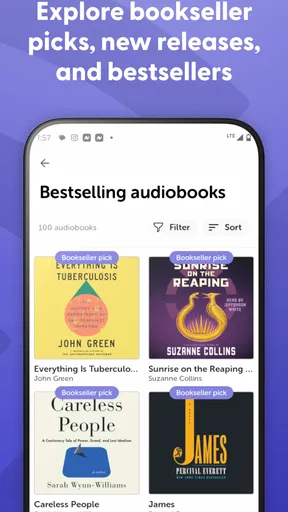
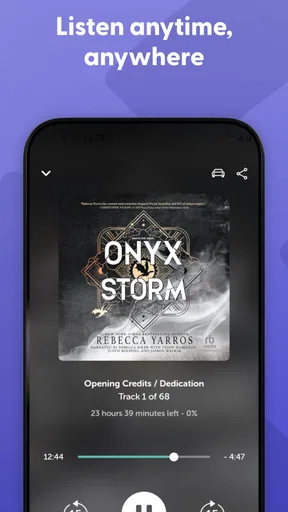
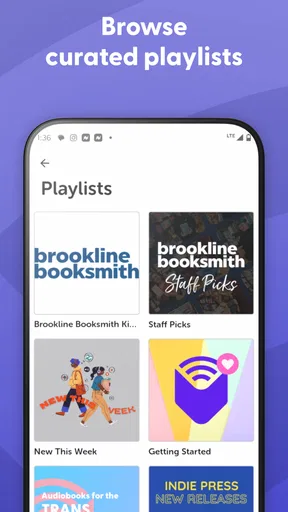
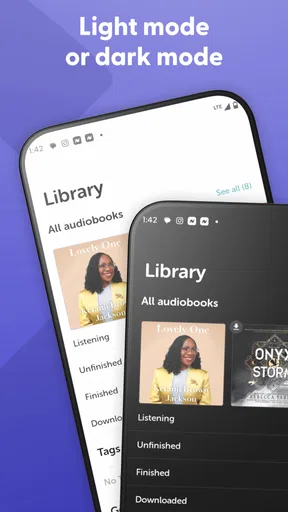
 Analysis by AppCompare
I came away from Libro.fm Audiobooks with the impression that it is less about being another generic audio player and more about making audiobook buying feel connected to an independent bookstore. That distinction matters. If you already choose local shops when you can, the app gives your listening habit a clear purpose. If you only want the cheapest possible way to hear a book, its appeal depends much more on the individual title and your buying priorities.
Libro.fm is a free Books & Reference app from Libro.fm, available for Everyone and designed for Android devices running version 7.0 or later. It has been around since June 27, 2016, and the current version is 7.38.2. The store listing shows a 4.9 average from around 6,000 ratings, with over 100,000 installs, so it has built a notably positive audience without looking like a mass-market utility installed on every phone.
What using Libro.fm feels like in everyday life
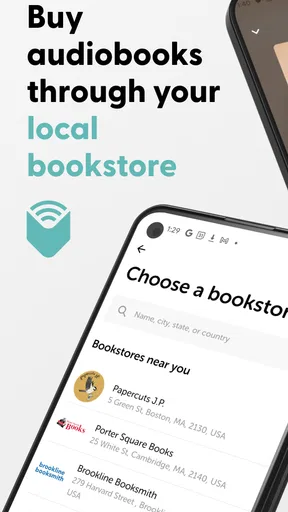
The central idea is straightforward: I use the app to purchase audiobooks through my local bookstore and then listen to them from the same general ecosystem. That focus gives the service a more personal identity than a broad entertainment subscription. It is particularly appealing when I want to support a bookstore while still enjoying an audiobook during a commute, a walk, cooking, or a long household task.
A realistic routine would be choosing a book after dinner, buying it through the app, and starting it the next morning while walking to work. The useful part is not simply having audio available. It is that the purchase can fit into a reader’s existing relationship with a local shop instead of treating books as anonymous digital products.
I also think the app suits people who alternate between print and audio. I might begin a novel in paper form, switch to audio while driving, and return to reading later. That kind of flexible reading habit is where an audiobook app earns its place. It does not replace a physical bookstore, but it gives the bookstore-centered reader a digital option that feels consistent with that preference.
At the same time, I would not recommend installing it solely because it is free. The app itself costs nothing to download, but the main activity is purchasing audiobooks, so the real decision is whether its purchasing model and bookstore connection suit you. Someone looking for a large subscription catalog, a purely local music-style player, or a free source of spoken-word material may be happier elsewhere.
Where new users can get stuck
The first point of friction is understanding the difference between downloading the app and obtaining a book. Because the app is free, it is easy to assume that listening will work like a free library of included titles. I would approach it instead as a storefront and listening tool: browse, choose, purchase, and then manage the audiobook you own through the app.
Worth Reading Before You Choose

EA SPORTS FC Mobile 26 Is a Bigger Football Game, but It Takes Time

Flipboard Shows What News Apps Must Do Beyond the Feed

Switching to Android Auto Means Rethinking Your Driving Routine

Google Calendar Makes a Crowded Week Easier to Manage

Ludo King Makes the Most of the Minutes Between Plans

Baby Panda World Brings Quick Play to Modern Phones, but Its Game Library Feels Busy
That distinction also affects expectations around switching devices. If I install the app on another compatible Android phone, I should think in terms of accessing my Libro.fm account and purchased library rather than treating each device as a separate collection. When something appears missing, checking the account used for the original purchase is a more sensible first move than repeatedly reinstalling the application.
Another common stumbling block is confusing a slow book start with a broken app. Audiobooks are much larger than ordinary text documents, and a title may need time to become available locally before uninterrupted listening is practical. I would check the connection, allow the purchase or download process to finish, and avoid judging playback while the app is still preparing the title.
There is also a human factor: audiobook navigation is easy to underestimate. A listener may expect to open a title and immediately know where to resume, but interruptions, accidental taps, or switching between books can make the current position feel uncertain. Before starting a long book, I recommend playing a short section, pausing, leaving the title, and returning to confirm that the listening position behaves as expected on your device.
Setup checks that prevent avoidable problems
My preferred setup is deliberately boring. I begin with the current app version, a stable internet connection, enough free device storage for the audiobook I intend to use offline, and the correct Libro.fm account. These checks solve more problems than changing random phone settings.
The Android requirement is broad enough for older compatible devices, but an older phone can still create a less comfortable experience if storage is tight or the operating system has been heavily customized. If the app opens but a title will not finish preparing, I would first check available storage and connection quality rather than assuming the book itself is defective.
I would also make the first purchase or download while connected to reliable Wi-Fi, especially for a long audiobook. That is not just about saving mobile data. It gives me a controlled moment to confirm that the title appears in the library, that playback starts, and that the phone can keep the content available for the intended listening session.
One useful habit is to test the whole chain before leaving home: open the selected book, start playback, move forward briefly, pause it, and return to the app. This catches account, playback, and local availability issues while I still have a dependable connection. It is much less frustrating than discovering a problem halfway through a trip.
If I use headphones, a car system, or a Bluetooth speaker, I test that connection separately. A phone can play audio correctly through its own speaker while an external device remains connected to another source or fails to reconnect. In that situation, the audiobook app may be functioning normally even though I hear nothing from the accessory I expected to use.
A calmer workflow when listening breaks
When playback stops, I avoid jumping immediately to uninstalling the app. First I pause and resume, then close and reopen the title. If that does not help, I check whether other audio plays on the phone and whether the device is connected to the intended output. This separates a book-specific problem from a wider sound or connection issue.
If the book is not visible, I verify the signed-in account and look again after refreshing the library or reopening the app. A purchase that was made under one account will not necessarily appear under another account simply because both are used on the same device. This is one of the most practical checks for anyone who shares devices or has more than one email login.
For interrupted downloads, I would return to a strong connection and give the process time to complete rather than repeatedly tapping the same control. Repeated attempts can make it harder to tell whether the original task is still progressing. If the app remains unresponsive after a normal restart, updating to the current version is a reasonable next step before considering more disruptive measures.
I also recommend keeping a simple mental record of the last chapter or time position before troubleshooting. If I clear local app information or move between devices, the exact listening position may be harder to reconstruct. Knowing where I stopped turns a technical interruption into a manageable inconvenience instead of a lost evening searching through a long recording.
There is a trade-off between convenience and local storage here. Keeping an audiobook ready on the phone is useful for flights, weak-signal areas, or commutes through unreliable coverage, but it consumes space. I would keep only the titles I am actively listening to on a smaller device and remove finished material when storage becomes tight, while retaining access through the account for future use.
When the app is not the cause
Not every failure that happens during listening belongs to Libro.fm. If the entire phone has stopped producing sound, the volume is muted, or another application also fails to play audio, the likely cause is at the device level. Checking media volume, silent modes, Bluetooth routing, and a second audio source can quickly narrow this down.
A weak network can also make a healthy application look unreliable. I would compare behavior on Wi-Fi and mobile data, and I would avoid making a final judgment from a single crowded café or basement connection. If the title plays normally after it is fully available offline, the original trouble was probably the connection or preparation stage rather than ongoing playback.
Account confusion is another outside-looking-inside problem. If I can open the app but cannot find a purchase, I would check which account is active before deleting anything. This is especially important when a household uses one phone, when an email address has changed, or when a device has been reset and the first login was completed with a different credential.
External audio equipment deserves its own check. Bluetooth headphones can be connected without being selected for media output, a car system can retain an old connection, and a speaker can be busy with another device. Testing the phone speaker first gives a useful answer: if sound works there, troubleshooting should move toward the accessory rather than the audiobook.
Finally, I would distinguish a title-specific issue from an app-wide issue. If one book behaves strangely while other available audio works, I would note the title and the exact symptom before contacting support. Clear details such as whether the book opens, whether playback starts, and whether the problem occurs only after leaving the app are far more useful than simply reporting that “audio is broken.”
Who will get the most from it
Libro.fm is a strong fit for readers who want audiobooks while keeping independent bookstores part of their buying life. It also makes sense for people who value ownership of individual titles more than the endless browsing pattern of a subscription service. If I already know which books I want and prefer to purchase them one at a time, the focused approach is easy to understand.
It is also practical for busy readers. A parent can listen during chores, a commuter can turn travel time into reading time, and someone with limited opportunities to sit down can move between audio and print. The app’s value grows when listening is attached to a specific routine rather than treated as another feed to scroll through.
I would be more cautious recommending it to someone who wants to sample many books without making individual buying decisions. A subscription alternative may feel better for that person, particularly if they regularly abandon titles after a few chapters. Likewise, a public library audiobook service may be the better first choice for listeners whose priority is borrowing at no direct cost and who are comfortable working within library availability and lending periods.
Compared with a general-purpose audiobook player, Libro.fm has a clearer purchasing identity. A basic player may be better for files already stored on a phone, while Libro.fm is more suitable when the buying process and bookstore connection matter. Compared with a broad digital bookstore, its appeal is more specialized: it is built around audiobook listening rather than treating audio as just one format among many.
The choice therefore depends on what I want the app to solve. If the problem is “I need a reliable place to play audio files I already own,” this is probably not the first tool I would choose. If the problem is “I want to buy audiobooks through a bookstore I care about and listen conveniently on Android,” it is much closer to the right answer.
Small habits that make the experience smoother
I would keep the app’s purpose visible when browsing. Instead of purchasing impulsively because a title looks interesting, I would ask whether I am likely to listen soon, whether the audio format suits the book, and whether I have enough time and storage for it. This reduces a common audiobook problem: collecting more titles than I can realistically finish.
For long nonfiction, I would use short listening sessions at first and confirm that my concentration holds up. Audio can make a dense book accessible, but it can also hide missed details when I am driving or multitasking. If the material is important, I would reserve focused listening time rather than assuming background playback gives me the same understanding as reading.
I also find it helpful to end each session deliberately. Pausing at a natural break and noting the chapter makes returning easier, especially if I alternate between several books. This is a simple workflow improvement, but it prevents the vague feeling of opening the app and wondering what I was hearing or why I chose that title.
When traveling, I prepare earlier than I think I need to. I confirm the book is available on the phone before leaving dependable internet, test playback with the intended headphones, and keep the device charged. These steps are not glamorous, but they are exactly what separates a relaxing trip from a frustrating attempt to solve account or download issues in transit.
The app’s high average rating suggests that many users find the overall experience dependable, but ratings should not replace personal fit. A listener who dislikes buying individual audiobooks will not suddenly prefer that model because the interface is pleasant. My recommendation is strongest for readers whose values align with the bookstore-centered approach, not for every person searching for audio entertainment.
My practical verdict
I see Libro.fm as a focused audiobook app with a meaningful point of difference: it connects digital listening with purchasing through a local bookstore. That makes it more compelling than a generic player for readers who care where their book money goes, while making it less obvious for people who want an all-you-can-listen catalog or a tool for unrelated audio files.
The main setup lesson is to treat the app as a connected purchase-and-listening service. Confirm the account, use a reliable connection for the first preparation, check storage, and test playback before relying on a title away from home. If something goes wrong, separate account, network, phone audio, Bluetooth, and app behavior instead of assuming every symptom has the same cause.
With those expectations in place, I would recommend it to an audiobook reader who wants a straightforward way to buy selected titles and support a local bookstore. I would skip it in favor of a library service or subscription option if my priority were borrowing widely, sampling constantly, or minimizing individual purchases. The best reason to choose Libro.fm is not simply that it plays audiobooks; it is that it makes the way I obtain them part of the reading experience.
Pros
- Supports independent bookstores with every audiobook purchase.
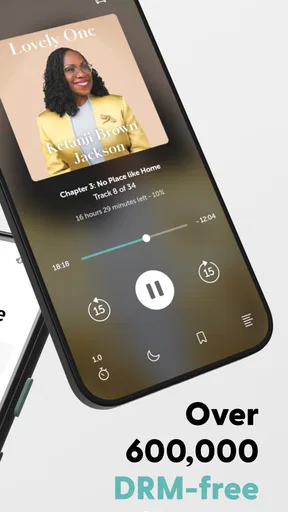
- Offers DRM-free downloads for listening without an internet connection.
- Includes sleep timers and adjustable narration speeds for flexible listening.
- Simple app design makes browsing
- buying
- and managing titles easy.
- Gift audiobooks and membership credits to other listeners.
Cons
- Selection may be smaller than competing audiobook platforms in some genres.
- Membership credits can expire if they are not used within the required period.
- Some popular titles may cost more when purchased without a membership.
- Playback features are less extensive than those found in certain rival apps.
- Availability and catalog options vary by country or region.
FAQs for Libro.fm Audiobooks
What is Libro.fm Audiobooks, and how does it work?
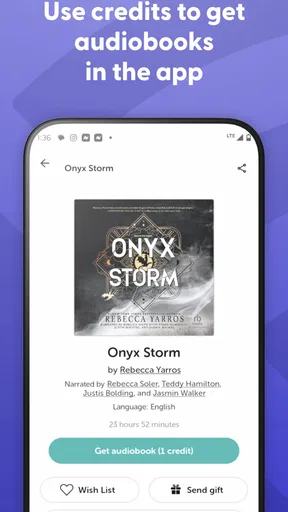
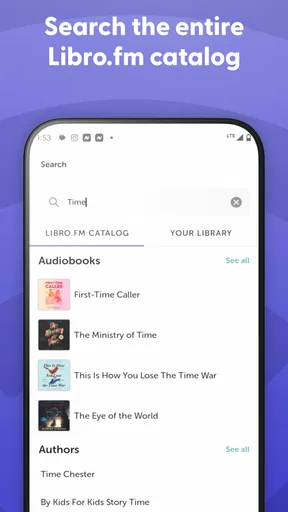
Libro.fm is an audiobook platform that lets you browse, purchase, download, and listen to audiobooks on your Android or iOS device. After creating an account, you can buy individual titles or use a membership plan to receive audiobook credits. The app includes listening controls, bookmarks, sleep timers, offline playback, and access to your personal audiobook library.
Does Libro.fm support independent bookstores?
Yes. One of Libro.fm’s main differences from many audiobook services is its partnership with independent bookstores. When you join or make eligible purchases, you can choose a participating local bookstore to receive a portion of the proceeds. This makes the service appealing to listeners who want convenient digital access while supporting independent booksellers and their communities.
Can I listen to Libro.fm audiobooks offline?
Yes, purchased audiobooks can generally be downloaded to your device for offline listening. This is useful when traveling, commuting, or using the app in areas with limited internet access. You need to download the title while connected to the internet first, and available storage space may affect how many audiobooks you can keep on your phone or tablet.
Is a Libro.fm membership required to use the app?
No, a membership is not required to use Libro.fm. You can create an account and purchase individual audiobooks whenever you want. However, membership plans may provide monthly credits, discounts, and other benefits that can make regular listening more economical. Before subscribing, review the current pricing, renewal terms, and credit policies available in your region.
Can I keep my audiobooks if I cancel my Libro.fm membership?
Audiobooks purchased with money or membership credits are generally associated with your Libro.fm account and remain available after canceling a membership. Cancellation normally stops future recurring charges rather than removing previously acquired titles. You should still keep your account details secure and check the latest Libro.fm terms, since subscription benefits, credits, refunds, and regional policies can change.


